 PawDelta

A stopwatch that tells you the time out loud.
Start something, put the phone down, and a voice tells you how long you have been going, as often as you choose. No screen to check, no losing an hour.
Coming soon to the App StoreRequires iOS 18 or later. Apple Watch app included (watchOS 11 or later).
What it does
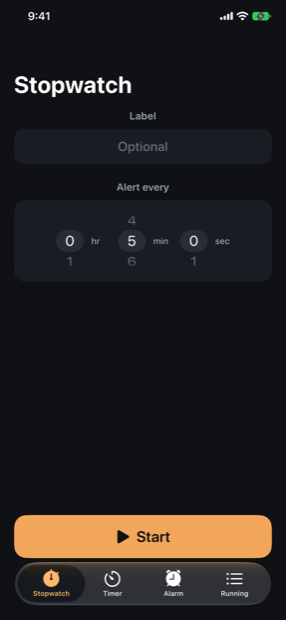
Stopwatch
Counts up with no finish line and says the time at your interval.
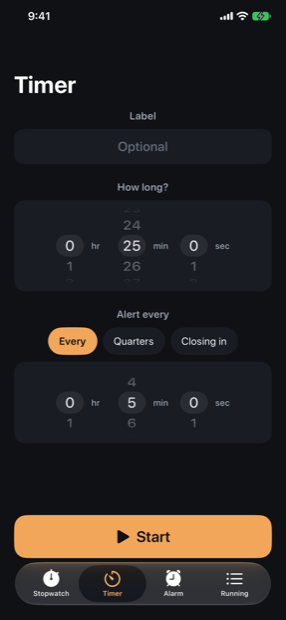
Timer
Counts down a length you set, tells you when it is up, then keeps counting.
Alarm
Speaks at a time of day, with check-ins on the way.
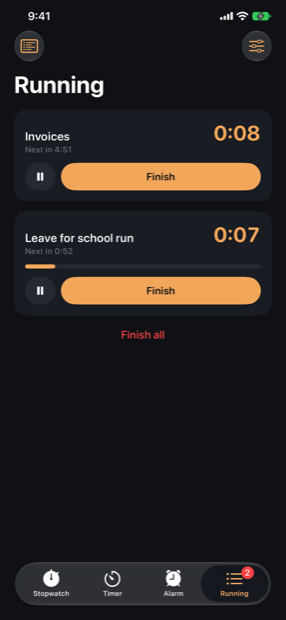
Four at once
Run up to four sessions, such as your task and its stop-alarm. Each announcement names its session.
It keeps talking
Works with the phone locked or in your pocket. Music dips while a session runs, then comes back.
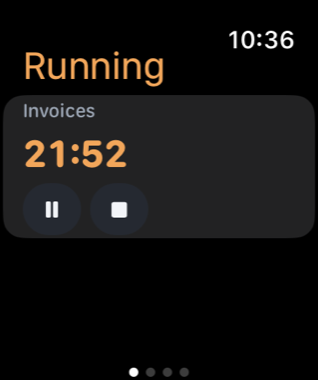
On your wrist
Start on either device and both stay in step. The one you started on speaks; the watch taps your wrist.
What it looks like
Why it is worded the way it is
Tempo tells you the time; it never tells you off. “Invoices. Ten minutes in.” Never “you should have finished by now.” A tool that makes you feel caught is a tool you stop opening.
Privacy
No account, no sign-in, no internet connection. Sessions only pass between your own iPhone and Apple Watch, so there is nothing to opt out of or delete.